Adding Freelancer as your “Favorite” helps you save the freelancer details for later without hiring them. To do so, please follow the below steps:
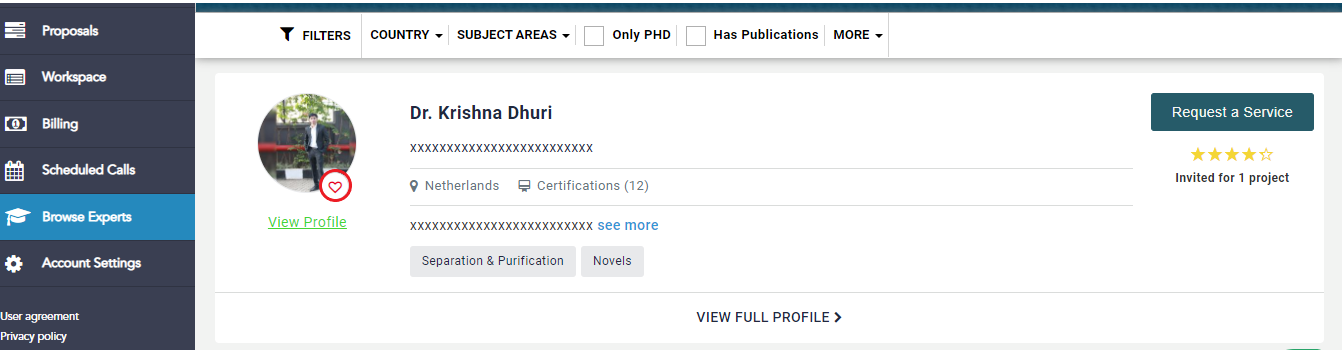
Once you log into your Kolabtree account, proceed to the "Browse Expert" Column from your Dashboard.
Then Search for the expert that you want to mark as “Favorite”, next to the Freelancer’s profile you will find a “heart” icon.
Click on the “heart” icon to mark the freelancer as “Favorite”
You can later access the freelancer profile you have marked as favorite by visiting the “My Favorite” tab from the “Browse Expert” page
To view your "Favorites", visit the "Find an Expert" page and click on the "My Favorites" tab available on the top of the page.

Was this article helpful?
That’s Great!
Thank you for your feedback
Sorry! We couldn't be helpful
Thank you for your feedback
Feedback sent
We appreciate your effort and will try to fix the article