Our "Collaborator" feature allows you to add a team member/colleague/friend to manage the project with you. Please note, the collaborator must register with Kolabtree, if not on the platform already.
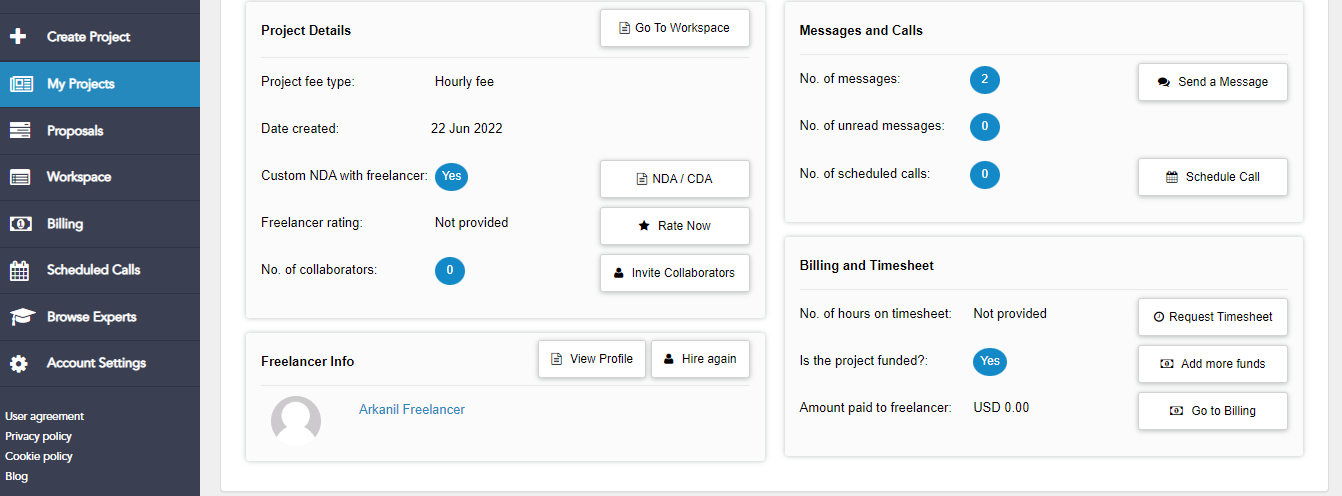
To add a team member, please visit your "My Projects " page: and then click on the ‘+’ sign next to the project where you want to add the collaborator
There will be a “Invite Collaborator” button Please click on this button, and add the team member.
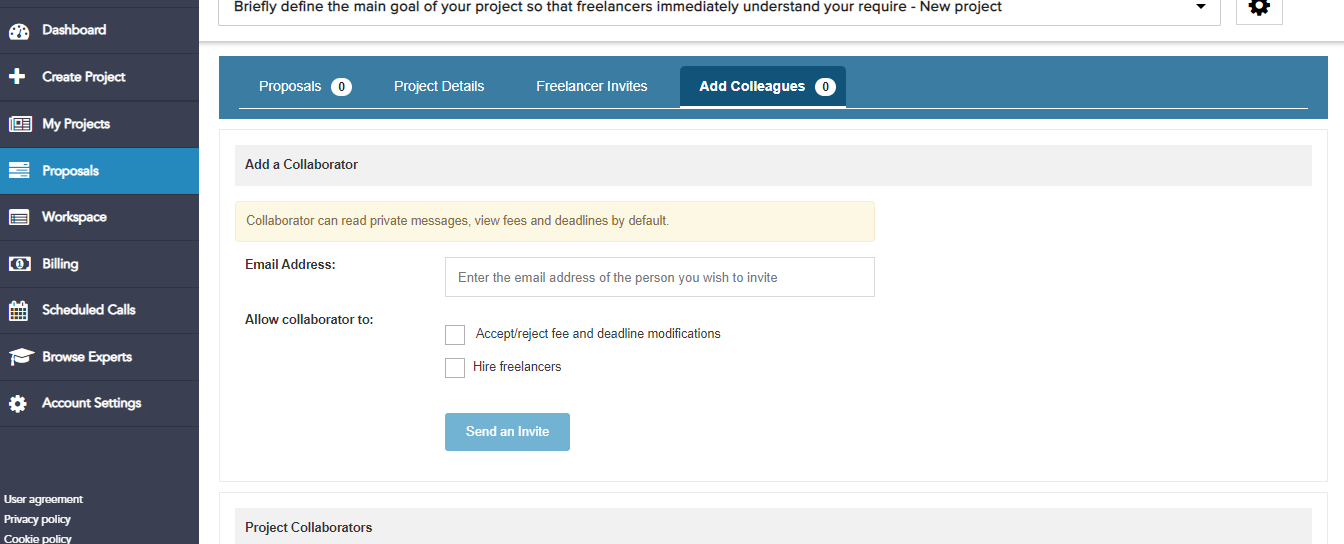
Alternatively, you can visit the “My Proposal” Page from your dashboard and the select “Add Colleague” option
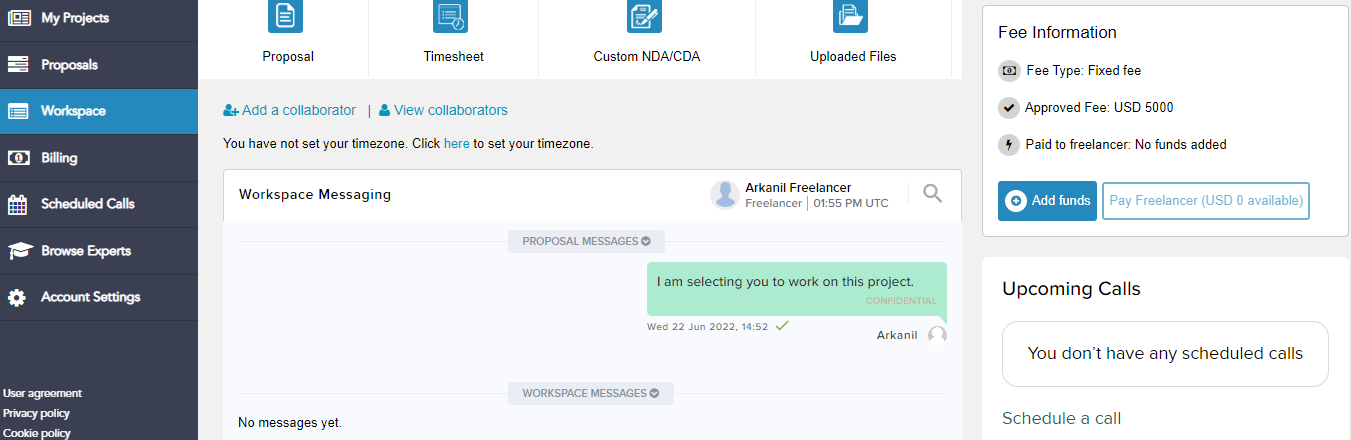
Also, you can “Add Collaborator” from your Workspace Tab by clicking on “Add Collaborator” option
Was this article helpful?
That’s Great!
Thank you for your feedback
Sorry! We couldn't be helpful
Thank you for your feedback
Feedback sent
We appreciate your effort and will try to fix the article